Introduction: Understanding Your Card Printing Needs
For businesses producing employee ID cards, membership cards, access cards, or other plastic credentials, choosing a card printer can be more complicated than expected. A common mistake is selecting a printer based on price or advertised specifications, only to discover after purchase that it does not support the required card material, printing volume, card size, software workflow, or two-sided printing needs. In some cases, the printer may simply be unsuitable for the intended application, resulting in wasted investment and operational delays.
This guide explains what to evaluate before purchasing, from printing technology and card compatibility to output requirements and system integration. Understanding these factors can help businesses avoid costly mismatches and select a solution that fits their actual needs.
Card Printer Basics: Types, Technologies, and Applications
A card printer is a specialised device designed to print text, images, and other information on plastic cards, including PVC cards. It is commonly used for employee IDs, membership cards, access cards, loyalty cards, and visitor badges. Understanding the main types is the first step towards choosing the right solution.
By Printing Side: Single-Sided vs. Dual-Sided
Card printers can be classified by whether they print on one or both sides.
- Single-Sided Card Printers: These printers print on one side of the card. They are suitable when essential information fits on the front, such as basic employee IDs, visitor badges, or simple membership cards.
- Dual-Sided Card Printers: These printers automatically print on both sides. A double-sided ID card printer is better suited for cards requiring additional information such as barcodes, QR codes, contact details, or instructions on the back.
By Printer Design: Desktop vs. Embedded
- Desktop Card Printers: These are standalone devices designed for use on a desk or work surface. They are commonly used in offices, schools, hotels, and retail environments where staff manage card issuance.
- Embedded Card Printers: An embedded card printer is designed to be integrated into larger systems, such as self-service kiosks, automated card dispensers, or vending equipment. Physical dimensions, connectivity, card handling, and system integration are especially important for these applications.
By Printing Technology: Direct-to-Card vs. Retransfer
- Direct-to-Card (DTC) Printers: DTC printers transfer images directly onto the card surface. They are widely used for everyday credentials, offering a practical balance of quality, speed, and cost.
- Retransfer Printers: A Retransfer card printer first prints the image onto a transfer film and then applies it to the card. This technology is suitable for applications requiring better edge coverage, appearance, or consistent visual quality. For applications using chips or other encoded credentials, a retransfer smart card printer may provide a more suitable solution.
These categories can be combined. The right combination depends on card design, printing volume, installation environment, and quality requirements.
Key Factors to Consider When Choosing a Card Printer
Choosing a printing solution requires more than comparing the purchase price. Businesses should evaluate print volume, resolution, card compatibility, printing speed, connectivity, and total cost of ownership based on their actual application.
1. Print Volume
Estimate how many cards you need to print rather than choosing a printer based only on its maximum speed. These ranges are practical guidelines rather than universal industry standards.
- Low-Volume Printing: Generally fewer than 1,000 cards per year, suitable for small offices, occasional employee IDs, or visitor badges.
- Medium-Volume Printing: Around 1,000–10,000 cards per year, common for schools, hotels, retailers, and businesses with regular card issuance.
- High-Volume Printing: More than 10,000 cards per year may require a more production-oriented solution, with greater attention to speed, consumable capacity, durability, and continuous operation.
2. Print Resolution
Resolution affects how clearly the printer reproduces photos, small text, barcodes, and detailed graphics.
- 300 dpi: A common standard for everyday credentials, providing sufficient quality for many routine card designs.
- 600 dpi: Better suited to applications requiring finer details, such as small text, security patterns, or high-definition graphics. Some printers also offer enhanced modes such as 300 × 600 dpi.
Higher resolution does not automatically mean a better choice. Match resolution to the actual card artwork and security requirements.
3. Card Compatibility
Before purchasing, confirm that the printer supports your card material, thickness, size, and surface. PVC is widely used, but composite, PET, polycarbonate, contactless, and other specialty cards may require specific printing technologies. Businesses using standard PVC credentials may consider a double-sided PVC card printer when information needs to appear on both sides.
4. Printing Speed and Workflow
A printer rated at 150 or 200 cards per hour may sound sufficient, but real productivity depends on card design, color coverage, single- or dual-sided printing, and operator handling. For higher-volume operations, feeder capacity and consumable yield should also be considered.
5. Connectivity and Integration
USB and Ethernet are common, while automated applications may require additional software or system integration. For businesses planning to build an embeddable card printer for kiosk applications, hardware dimensions, communication interfaces, card feeding, and software compatibility should be verified before purchase.
6. Total Cost of Ownership
The initial printer price is only part of the investment. Ribbon or film costs, card costs, maintenance, replacement parts, and downtime can significantly affect long-term expenses. Comparing cost per card is often more useful than comparing purchase prices alone.
Top 3 Card Printer Recommendations: S22K vs. S22 vs. 8600
① Masung MS-8600
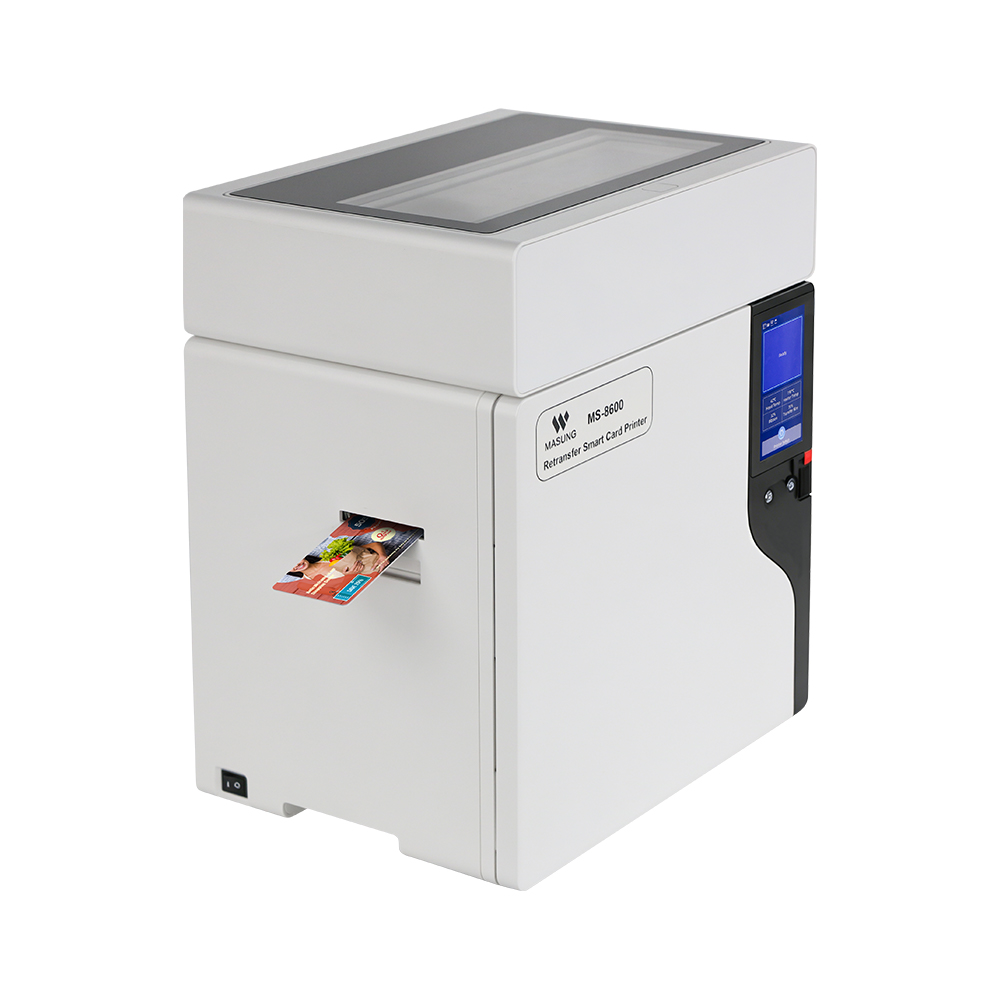
Type: Industrial-grade 600 DPI color retransfer card printer designed for high-volume, high-security card personalization.
Key Specifications:
- Resolution: 600 DPI
- Printing: Single- and double-sided, edge-to-edge
- Speed: 25 sec/card single-sided; 53 sec/card double-sided
- Capacity: Up to 450 cards with optional dual-feed system
Why Choose It:
The MS-8600 combines high-resolution retransfer printing with an industrial-grade design for continuous operation. Its edge-to-edge output, high-capacity consumables, and optional RFID, SAM, and magnetic stripe encoding make it suitable when print quality and security are priorities.
Suitable for: Government IDs, driver’s licenses, banking cards, transportation cards, student IDs, access cards, and other high-security or high-volume applications.
② Masung MS-S22K
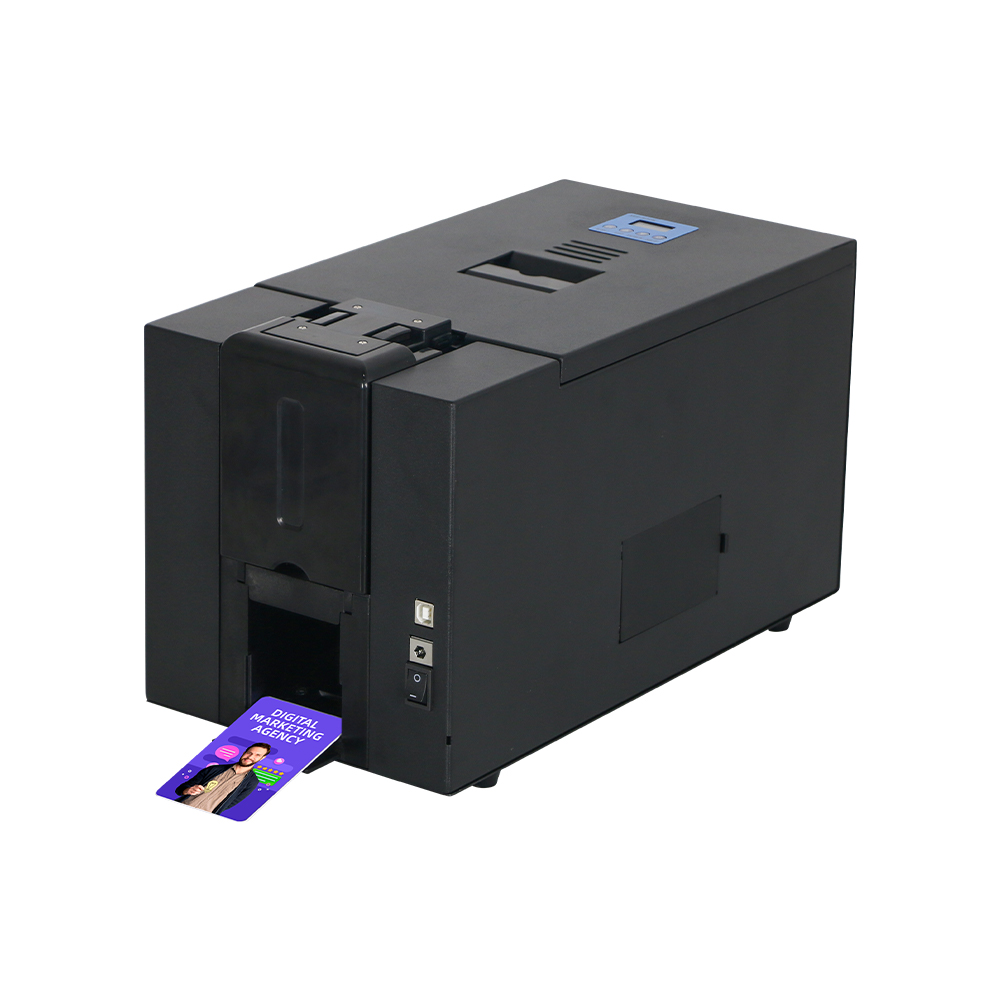
Type: Desktop 300 DPI dual-sided dye-sublimation card printer designed for on-demand ID and badge printing.
Key Specifications:
- Resolution: 300 DPI
- Printing: Automatic double-sided printing
- Speed: 42 sec/card full-color; 12 sec/card monochrome
- Input Capacity: 100 cards
Why Choose It:
The MS-S22K offers a practical balance of speed, print quality, and ease of use in a compact desktop format. With optional smart-card and magnetic-stripe encoding, it can support everyday credential applications and is suitable as a card printer for employee ID cards.
Suitable for: Employee IDs, student IDs, event badges, conference name tags, membership cards, and access-control credentials.
③ Masung MS-S22
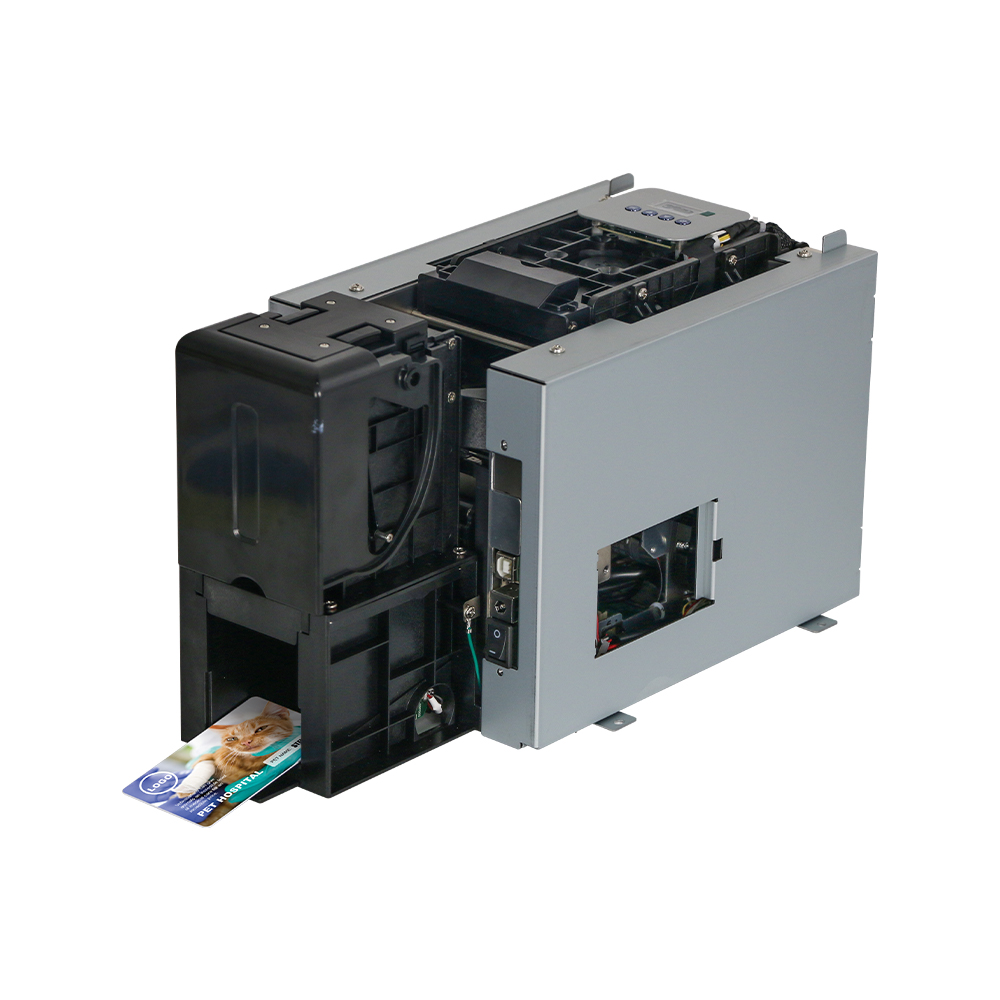
Type: Customizable embedded card printer module designed for integration into kiosks, terminals, and self-service machines.
Key Specifications:
- Resolution: 300 DPI
- Printing: Automatic double-sided printing
- Card Input: 100-card hopper
- Interfaces: USB 2.0, with optional Ethernet and RS232
Why Choose It:
The MS-S22 is designed for system integration rather than standalone desktop use. Its compact embedded form, automatic card handling, dual-way card ejection, and customization options make it suitable for applications requiring a kiosk card printer or automated card issuance solution.
Suitable for: Self-service ID kiosks, automated card issuance systems, vending machines, access-control terminals, and other unattended applications.
Conclusion: Choosing the Right Card Printer for Your Business
Choosing the right card printer starts with understanding your actual application rather than comparing specifications alone. Before making a purchase, define your card type, expected print volume, required resolution, printing side, card material, and installation environment.
From there, compare compatible printer technologies and calculate the expected cost per card, including consumables and maintenance. If possible, test your actual card materials and designs before placing an order. This approach can help you avoid compatibility problems and choose a card printing solution that supports your business needs over the long term.